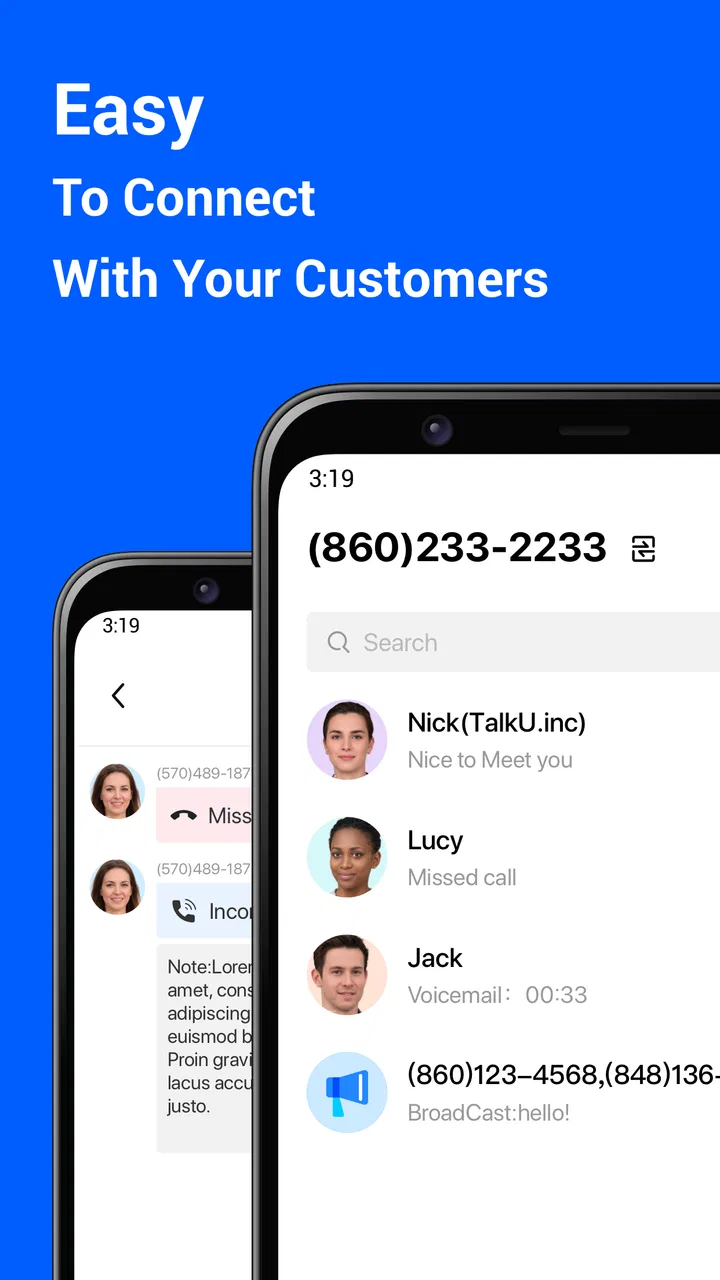
EasyLine Business Phone Number
- 4.0
- Rating
- 100.00K
- Installs
- Free
- Price

 Analysis by App-foxy
Keeping work calls separate from personal calls sounds simple until a customer rings during dinner, a delivery client saves your private number, or a small business needs a contact number that looks more professional than a personal mobile line. That recurring mix-up is the problem EasyLine Business Phone Number tries to remove. I tested it as a practical second-number tool, and my overall impression is that it is most useful when you need a clear boundary between everyday life and business communication without carrying another phone.
EasyLine is a free business app from TalkU International Inc. Its main purpose is straightforward: give you a local second phone number that you can use as a sideline. I would not describe it as a complete office phone system. I see it instead as a lightweight way to create a separate calling identity for work, side projects, listings, or customer contact.
That distinction matters. If your goal is to stop handing out your personal number, EasyLine can save time and reduce awkwardness immediately. If you need a full team setup, advanced administration, formal call-center controls, or a replacement for a company telecom service, I would look elsewhere. The app makes sense because it focuses on one recurring inconvenience rather than trying to become an entire business communications platform.
You May Also Like

 Blood Strike: 2.5 Anniversary
Blood Strike’s Loadouts Turn Every Drop Into a Tactical Gamble
A close look at Blood Strike’s custom loadouts: how fast access to signature weapons reshapes its battle royale rhythm, rewards preparation, and narrows the gap between fights.

 Pandora - Music & Podcasts
Pandora’s Music Is Easy to Start, but Harder to Recover
Pandora’s strength is its low-effort path from a seed to a station. Its weak spot is how much confidence it asks you to place in connection, setup, and quiet recovery.

 8 Ball Pool
8 Ball Pool Is Built on Rivalries, Rematches, and Routine
A close look at the rivalries, rematches, shared routines, and unanswered safety questions that turn a quick pool match into a persistent mobile community.

 Samsung Music
Samsung Music’s Quiet Strength Is Playing What You Already Own
Its reach comes less from spectacle than from dependable access to a personal library. That simplicity is both the app’s strongest retention engine and its ceiling.

 AccuWeather: Weather Radar
AccuWeather Review: A Quick, Clear Forecast for Everyday Decisions
For everyday plans, the best forecast is the one you can understand quickly. AccuWeather makes rain timing, radar, and local conditions easy to act on, with a few trade-offs.

 Hill Climb Racing
Why Hill Climb Racing Still Turns Crashes Into One More Run
A tiny car, a bumpy hill and one more upgrade: Hill Climb Racing keeps resurfacing because its simple chaos makes every near-miss feel personal.
More From Our News Desk



How EasyLine fits into everyday business communication
I find it useful to judge a second business line by the routine it helps create, not just by whether it gives me another number. In this section, I’ll look at how EasyLine can fit around everyday calls and customer enquiries, then consider the choices and boundaries that matter when a work contact channel becomes part of daily life.
The first setup is useful when separation is the priority
The most valuable part of the initial setup is deciding what the second number is for before you start sharing it. I found it more practical to treat the EasyLine number as a dedicated channel rather than as a spare number for everything. For example, a freelance designer could use it for new enquiries, while keeping an existing personal number for friends and family. A marketplace seller could place it in an advert without exposing a private contact.
The app is available at no upfront cost, which makes it easy to try without committing to another handset or a separate mobile plan. It is rated for Everyone, runs on Android starting with version 7.0, and the current version is 1.7.0. Those details make it approachable for people using older Android devices, although the experience can still depend on the phone, network, and how reliably the device handles notifications in the background.
I recommend setting up a simple personal rule immediately: use the EasyLine number only where you are comfortable receiving work-related contact. That rule prevents the second line from becoming another noisy inbox. It also makes the separation useful later, because you can tell at a glance whether a call belongs to a customer, a personal contact, or an unknown caller.
One practical tip is to save the new number with a clear label in your own contacts, such as “business line,” rather than relying on memory. This sounds minor, but it avoids the common mistake of accidentally calling someone from the wrong identity. In a busy day, the benefit of a second number disappears if you are unsure which line you are using.
A realistic small-business workflow
Imagine a person who repairs bicycles from a home workshop. They need to put a contact number on local listings, answer questions about opening times, and arrange collection appointments. Using a personal number would expose their private contact details and make it harder to switch off after work. With EasyLine, they can direct those enquiries to a dedicated business line and keep the personal number for household communication.
The time saving comes from reducing explanations. Customers do not need to know which number is personal, and the owner does not need to untangle work messages from family conversations. When the workday ends, the business line can be treated as a separate channel. The app does not magically create a schedule or a staff process, but it gives the workflow a cleaner starting point.
This is also useful for short-term projects. Someone organizing a local event, testing a side business, or selling items online may want a contact number for a limited purpose. A separate line makes it easier to keep that activity away from a main number. The trade-off is that the user still has to manage the conversations responsibly; a second number reduces exposure, but it does not replace good boundaries.
Where it removes friction
The biggest friction EasyLine removes is the need to buy and carry another phone simply to have another number. For a solo worker, that can be a meaningful improvement. One handset is easier to charge, carry, and check than two, and a second app-based line avoids the mental overhead of remembering which device contains a particular contact.
It also makes public contact less uncomfortable. I would be more willing to post a dedicated business number on a listing than my private mobile number. That is not because the second line eliminates every risk, but because it gives me a clearer boundary. If a listing attracts unwanted calls, the disruption is easier to isolate than it would be on my main personal line.
Another useful insight is that the app can act as a trial layer before a larger investment. A new freelancer does not necessarily know whether a separate business number will improve their routine. Starting with EasyLine lets them test the idea: do customers use the line, does separation reduce missed calls, and does the extra channel remain manageable? If the answer is yes, they can later consider a more formal phone service with better administrative controls.
That makes the app less about adding features and more about removing a decision. Instead of asking whether a full business phone system is justified, a solo user can first ask whether a second number solves the immediate problem. For many small, personal operations, that is a sensible order of decisions.
Daily use: the details that affect reliability
In daily use, I would pay close attention to notifications and call habits. A second number only helps if incoming contact is noticed in time. Android battery management, muted notifications, weak reception, and an overloaded phone can all affect how quickly a call or message is seen. These are not unique to EasyLine, but they matter more when customers expect a prompt response.
For that reason, I would not use it as the only contact route for something where a missed call could create serious consequences. It is better suited to enquiries, appointments, local services, side work, and ordinary customer conversations than to situations demanding guaranteed availability. The app can make communication more organized, but no app-based line should be treated as an automatic promise of uninterrupted access.
A useful routine is to check the business line at set points during the day instead of constantly switching attention between personal and work conversations. This preserves the separation the app is meant to provide. If every alert receives immediate attention, the second line may simply create another source of interruption rather than saving time.
I also suggest writing a short voicemail or response habit that identifies the purpose of the number without oversharing personal details. Even a simple, consistent greeting can make the line feel more professional. The important point is not to pretend that EasyLine is a corporate switchboard; it is to make a solo operator’s communication feel deliberate and easy to understand.
Who gets the most value from it
EasyLine is a strong fit for freelancers, independent tradespeople, home-based sellers, tutors, local service providers, and anyone testing a small commercial idea. It is particularly useful for people who already have a mobile phone but do not want to publish their personal number everywhere. The app’s business focus is clear, yet the practical audience includes anyone who needs a second contact identity without buying another device.
It can also help someone who has several small activities but does not need separate full phone systems. A person might use one number for a side business and keep their regular line for personal calls. That arrangement is not sophisticated, but it is often easier to maintain than a complicated collection of accounts and devices.
The app is less suitable for a growing company with several employees answering the same line. It is also not my first choice for a business that needs detailed call records, shared ownership, formal extensions, centralized administration, or tightly controlled customer support. In those cases, a dedicated business telephony service is likely to justify its extra cost and setup effort.
I would also skip it if the only reason for downloading is occasional private calling with no need for a separate identity. A second-number app adds another channel to monitor. If you rarely need a business or public-facing number, the additional line may create more maintenance than value.
Cost, scale, and the important trade-off
The free starting point is one of EasyLine’s strongest advantages. It lowers the barrier for a person who wants to see whether a separate number improves their routine. At the same time, in-app purchases range from $2.99 to $149.99 per item, so I would review the available paid choices carefully before treating the app as a long-term business expense.
That range suggests an important budgeting question: are you paying for occasional convenience, or are you building a communication channel that your business will depend on? For a small experiment, the free entry may be enough to evaluate the idea. For a more established operation, I would compare the ongoing cost and capabilities with a conventional second SIM, a virtual phone provider, or a full business phone platform.
A second SIM may be better when you need carrier-level service, a number that remains tied to a mobile plan, or a familiar calling arrangement. A traditional business phone provider may be better when multiple people need access or when the business requires stronger management tools. EasyLine’s advantage is convenience and simplicity, not maximum organizational depth.
Its audience size also suggests that it has found a real use among people looking for this kind of utility: the app has more than 100K installs, with a 4.0 average from around 1.3K ratings and 467 written reviews. I treat that as encouraging rather than conclusive. Those figures show interest and a generally positive reception, but they do not guarantee that every device, network, or business workflow will behave identically.
Reliability, privacy habits, and boundaries
The most important limitation is conceptual: a second number is not the same as a separate business operation. EasyLine can help you separate contact details, but you still need to organize callbacks, record customer information safely, and decide when the line is monitored. If several people need to answer enquiries, the app may not provide the structure you expect from a team-oriented service.
I would also avoid assuming that a business number automatically makes every interaction private or secure. The sensible approach is to share only the information needed for the transaction, keep sensitive details out of casual messages, and use established payment and booking methods separately. The app solves the exposure of your personal number; it should not be treated as a complete privacy strategy.
There is a subtle trade-off between availability and peace of mind. A public business line can help customers reach you, but it can also invite calls at inconvenient times. The best result comes from combining the app with clear business hours, a consistent response routine, and selective sharing. Without those habits, the second number may simply move the problem rather than solve it.
My verdict after weighing the everyday experience
I recommend EasyLine Business Phone Number to solo users who want a practical second line and do not need a full communications department in an app. Its value is easy to understand: it keeps a public or work-related number away from your personal one, reduces the need for another handset, and gives a small operation a cleaner way to handle enquiries.
I especially like it as a low-commitment starting point. Someone can test a separate business identity before paying for a more elaborate system. That is where the app saves the most time: it removes the need to redesign your whole workflow just to stop publishing your private number.
My reservations are equally clear. You still need to watch notifications, manage the extra channel, and set boundaries around availability. The in-app purchase range means that long-term users should compare the total cost with a second SIM or a more established business phone provider. Teams and businesses with advanced phone requirements will probably outgrow it.
For a freelancer, local seller, independent service provider, or side-business owner, though, EasyLine is a sensible tool to try. Its best feature is the separation it creates between personal life and business contact. I would choose it when that single improvement is worth more to me than advanced controls, and I would move to a different option only when the business grows beyond a one-person communication workflow.
FAQs for EasyLine Business Phone Number
01What is EasyLine Business Phone Number used for?
EasyLine Business Phone Number is designed to give small businesses, freelancers, and independent professionals a separate business line without requiring another physical phone. It can help you keep work calls and messages apart from personal communications, present a more professional contact number, and manage customer conversations from a mobile device. The available tools may vary depending on the selected plan and country.
02Can I use EasyLine with my existing personal phone number?
The app is generally intended to provide an additional business number rather than replace your personal mobile line. During setup, you typically choose an available number or select a supported option based on your location. This allows you to keep your private number separate while handling business calls and texts through the application. Number availability, area codes, and portability options should be checked before subscribing.
03Does EasyLine Business Phone Number require a separate SIM card?
No physical SIM card is normally required to use the business line. EasyLine works through your smartphone’s internet connection, using Wi-Fi or mobile data to provide calling and messaging features. Because performance depends on connection quality, calls may be affected in areas with weak internet service. Standard mobile data charges may also apply, depending on your carrier and plan.
04What features does EasyLine offer for business communication?
EasyLine may include practical business communication features such as a dedicated phone number, calling, text messaging, voicemail, call management, and options for presenting a more professional identity to customers. Some features, including automated responses, team access, call recording, or advanced business tools, can depend on the subscription level. Review the current plan details in the app before making a purchase.
05Is EasyLine Business Phone Number free to download and use?
The application may be free to download, but access to a business number and certain communication features can require a paid subscription or in-app purchase. Pricing, trial periods, included minutes, messaging limits, and renewal terms may differ by platform and region. Before confirming payment, check the subscription screen carefully, including automatic renewal and cancellation conditions, to avoid unexpected charges.
Pros
- Offers a separate business number for work calls and messages.
- Helps keep your personal phone number private from customers.
- Supports business communication without requiring a second physical phone.
- Useful for freelancers and small teams managing calls on the go.
- Can make a business appear more professional and easier to contact.
Cons
- Call quality may depend heavily on your internet connection.
- Some useful features may require a paid subscription.
- Availability of numbers and features can vary by country.
- Using a virtual number may be less suitable for regulated businesses.
- Battery and mobile data usage can increase during frequent calls.

EasyLine Business Phone Number
Gallery